The basics
Say what should happen
Type it the way you'd tell a friend, in the box at the bottom of your world (on a phone, tap the sparkles button), and the model writes the code that builds it into the world you're standing in.
Say what it looks like and what it does: what color, what's glowing, whether it floats. The more you say, the closer it gets.
park a red hover bike in front of me, floating just off the floor, with a glowing blue stripe down its side
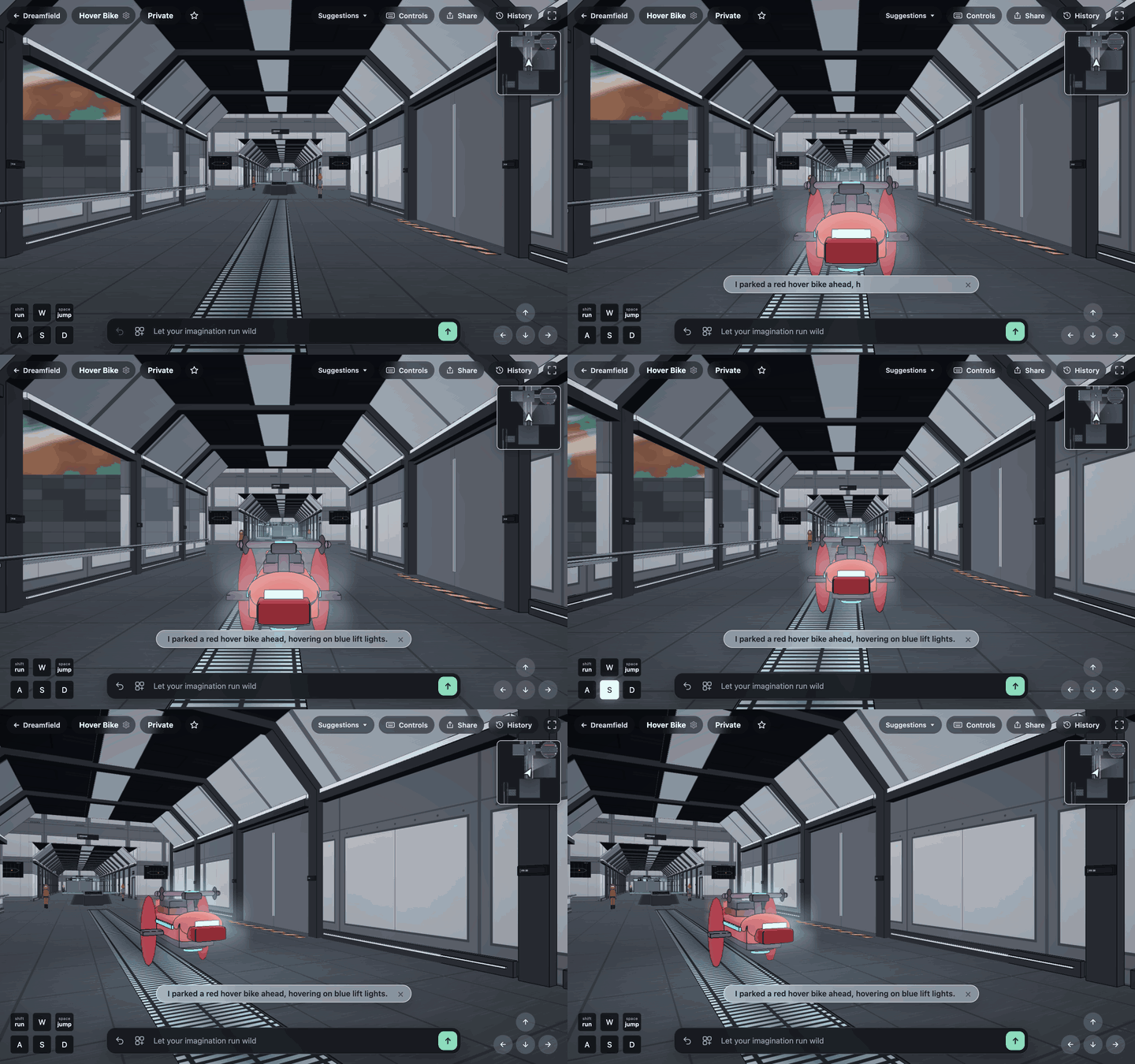
Change what's already there
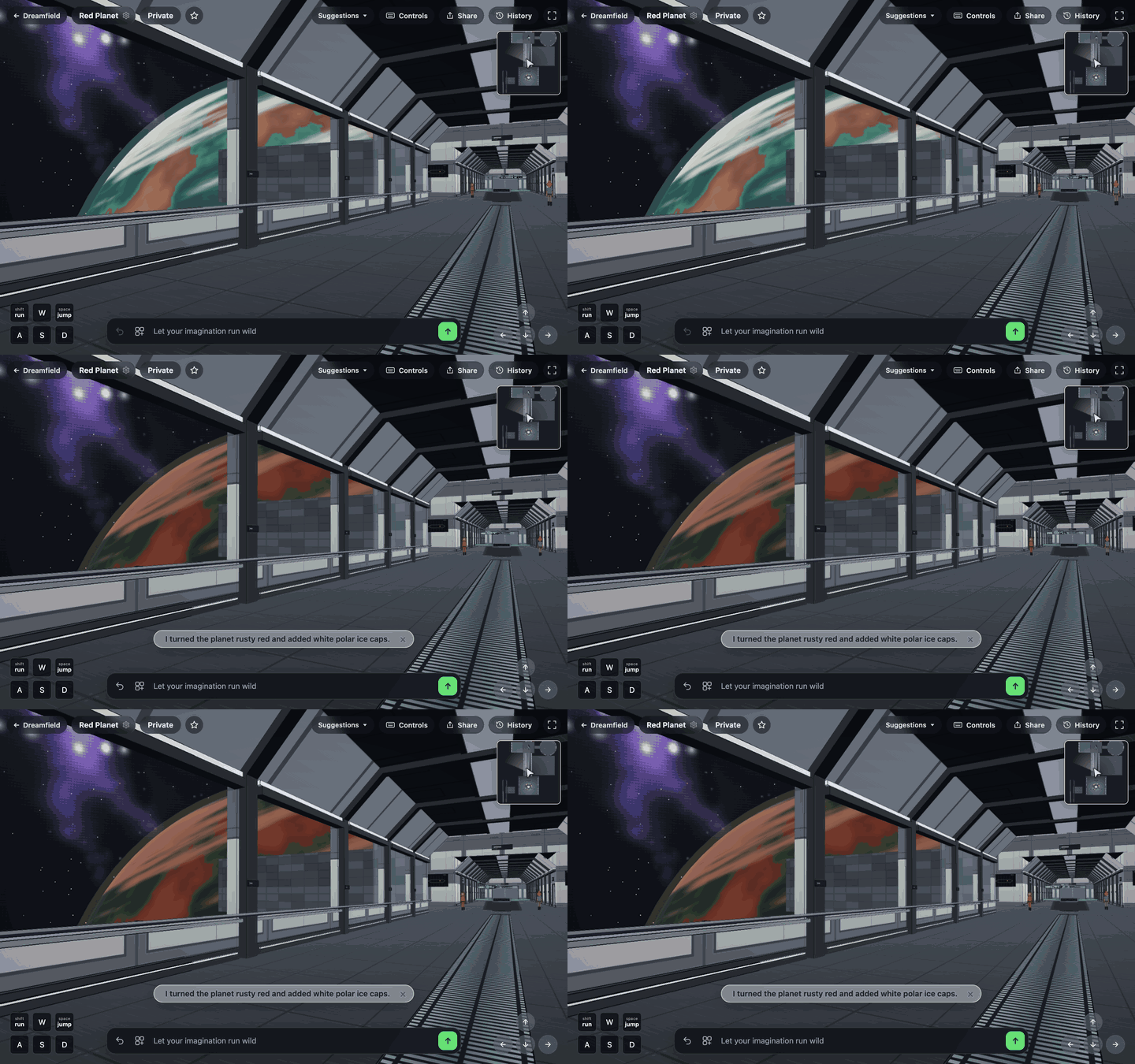
Everything in a world can be changed, not just what you add: the rooms, the machines, the people, even the planet outside. Name the thing you mean and say what should happen to it.
If it can't tell which one you mean, walk right up to it, look straight at it and ask again.
make the planet below the ship rusty red like Mars, with white ice caps
Undo anything
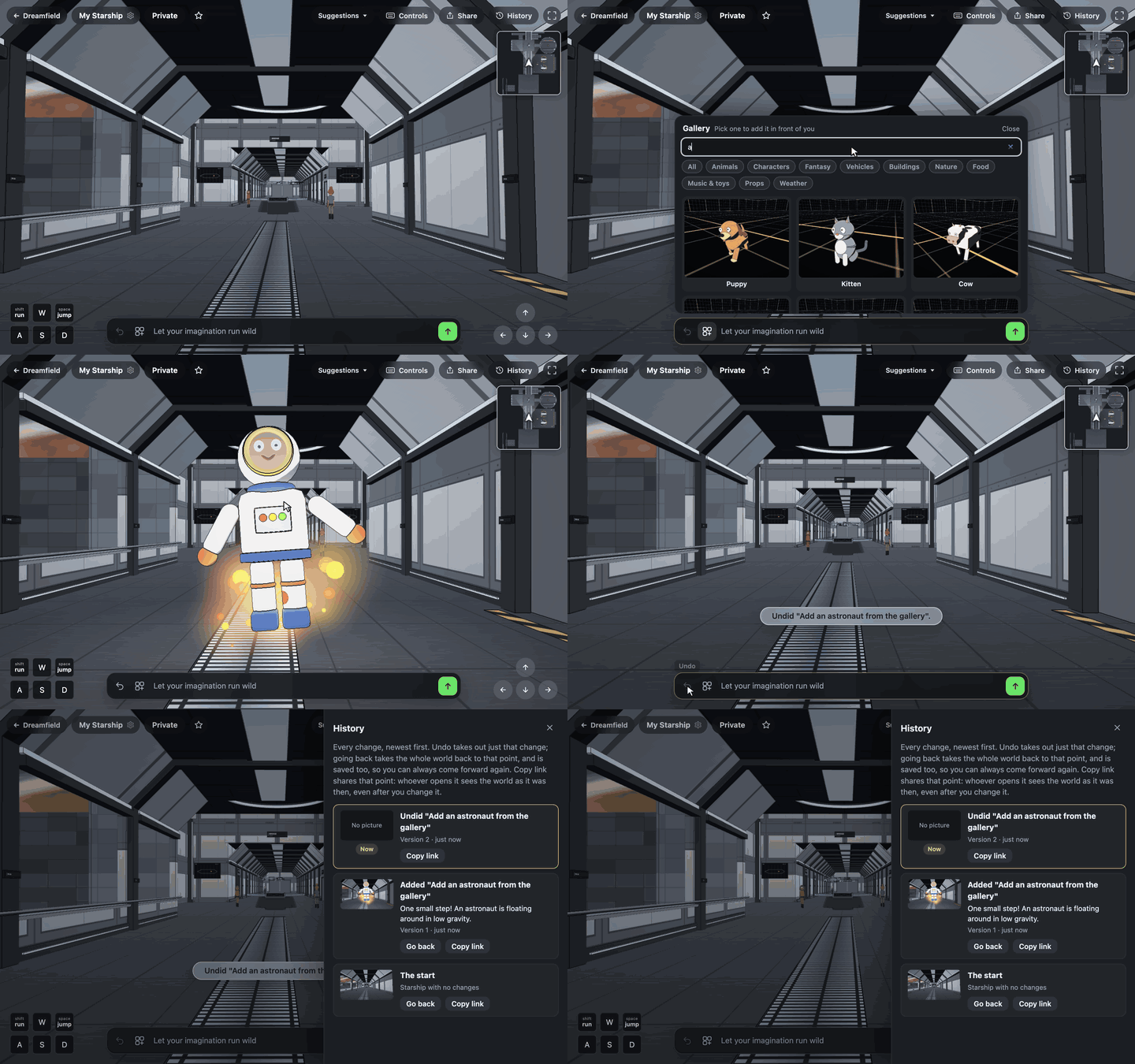
Undo, beside the box, takes out your latest change. History lists every change: take out any one of them, or take the whole world back to any point and come forward again.
Start from a world you like
Press Edit World on any of the Featured Worlds to get your own copy to change. Or start from an empty one (Bliss Hills, Pastel Fields, the Blank Canvas or the Holodeck) and build everything yourself.
Stand where you want it
New things go in front of you, so walk to the spot and face it first. Say "here" to put something where you're standing.
Drop in something ready-made
The Gallery button beside the box has over a hundred ready-made things, from a puppy to a dragon. Click one and it lands in front of you, instantly and for free.
Try the ideas
Every change comes back with ideas for what to try next. Click one to send it as your next change.
One change at a time
Each change takes the model a little while to write. Changed your mind? Stop it before it goes in. If its code doesn't work, it tries again by itself.
Bring it to life
Make things move
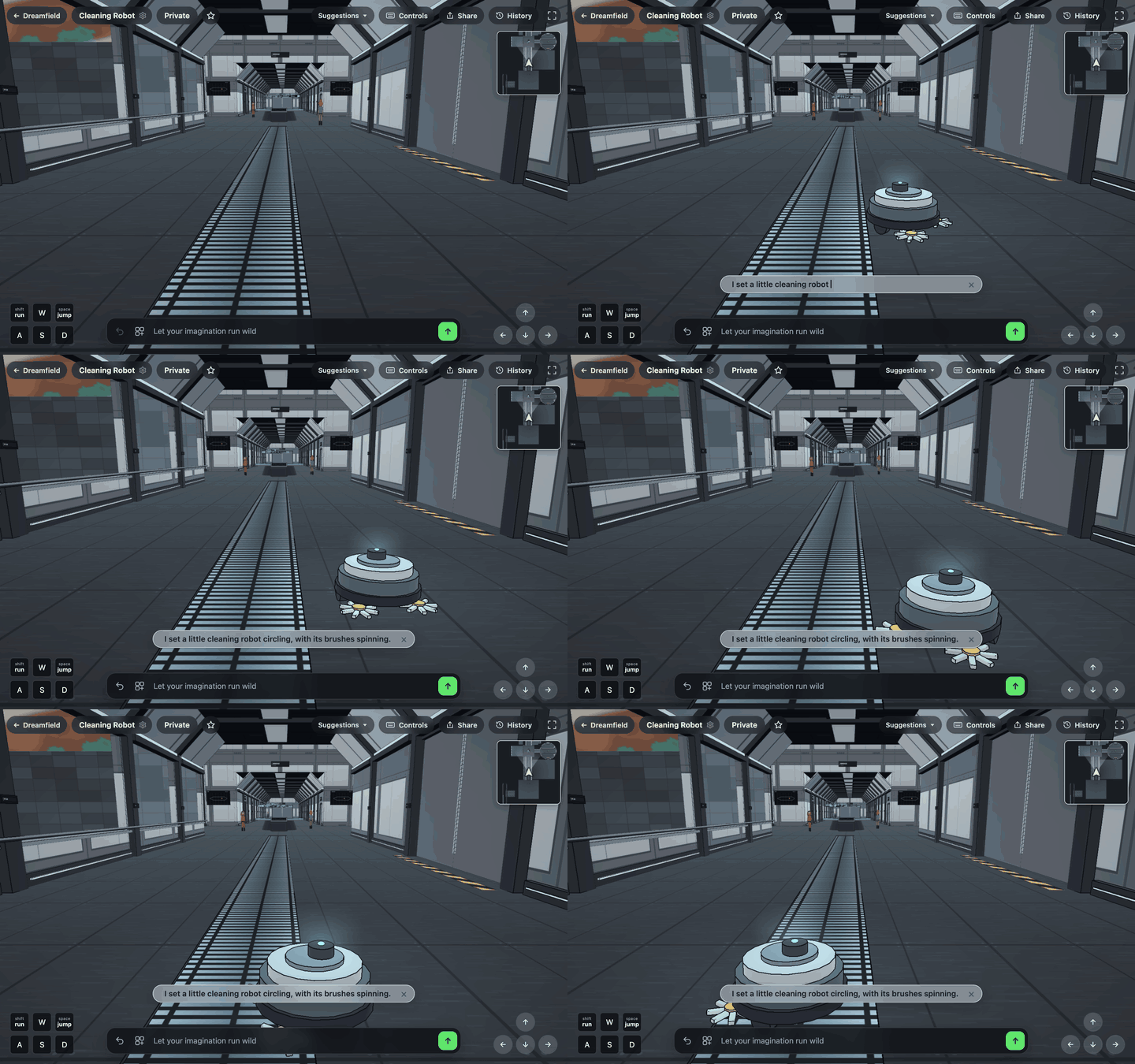
Things can drive, walk, fly, spin, bounce, wander about or follow you wherever you go. Say where they should go and how fast.
make a little cleaning robot drive round in circles on the floor in front of me, spinning its brushes
Give characters something to say
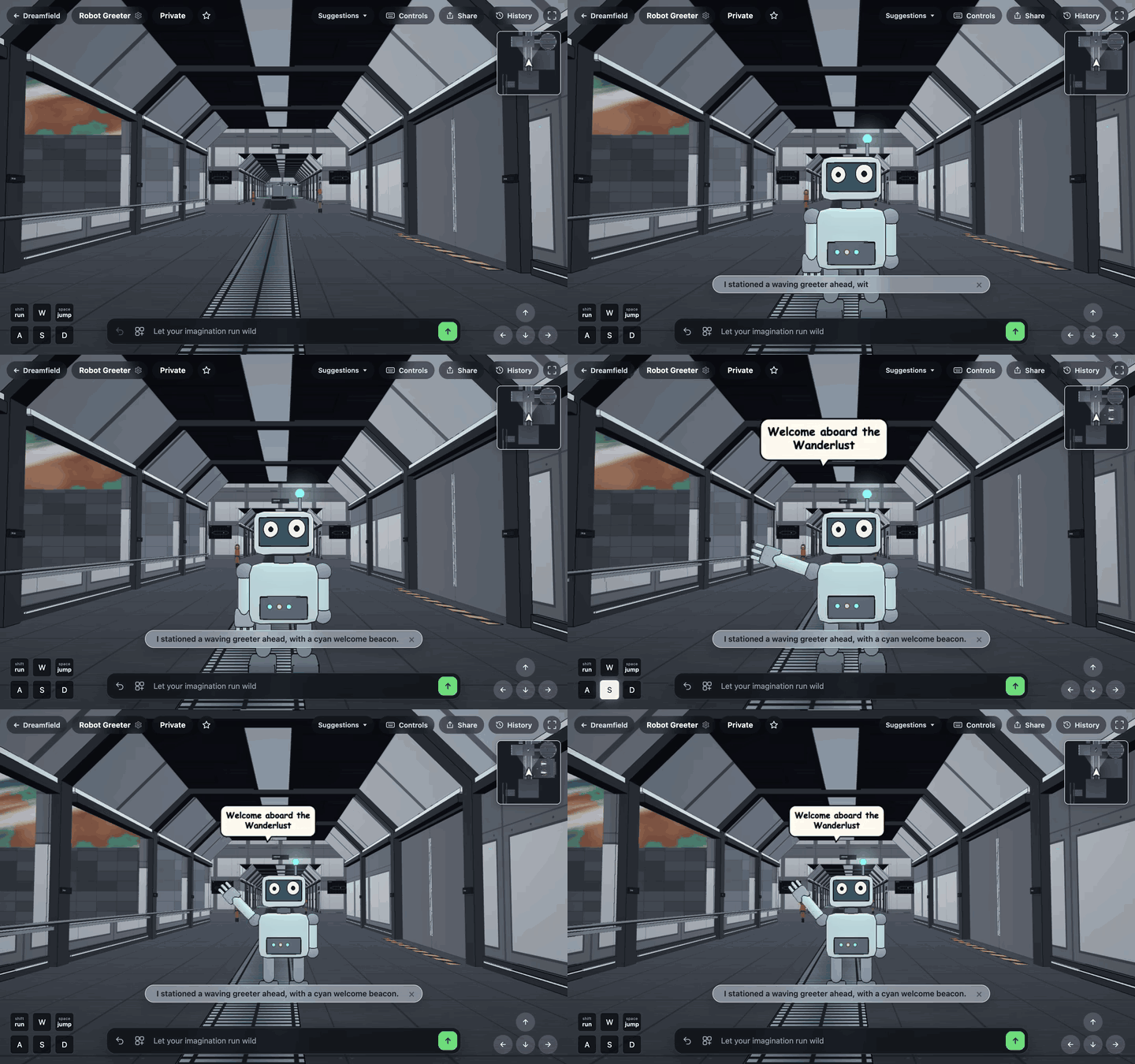
People, robots and creatures can wave, dance, cheer and talk in speech bubbles. Ask for something to happen when you walk up to them, and it does.
put a robot greeter in front of me that waves and says Welcome aboard the Wanderlust whenever I walk up to it
Change the whole look
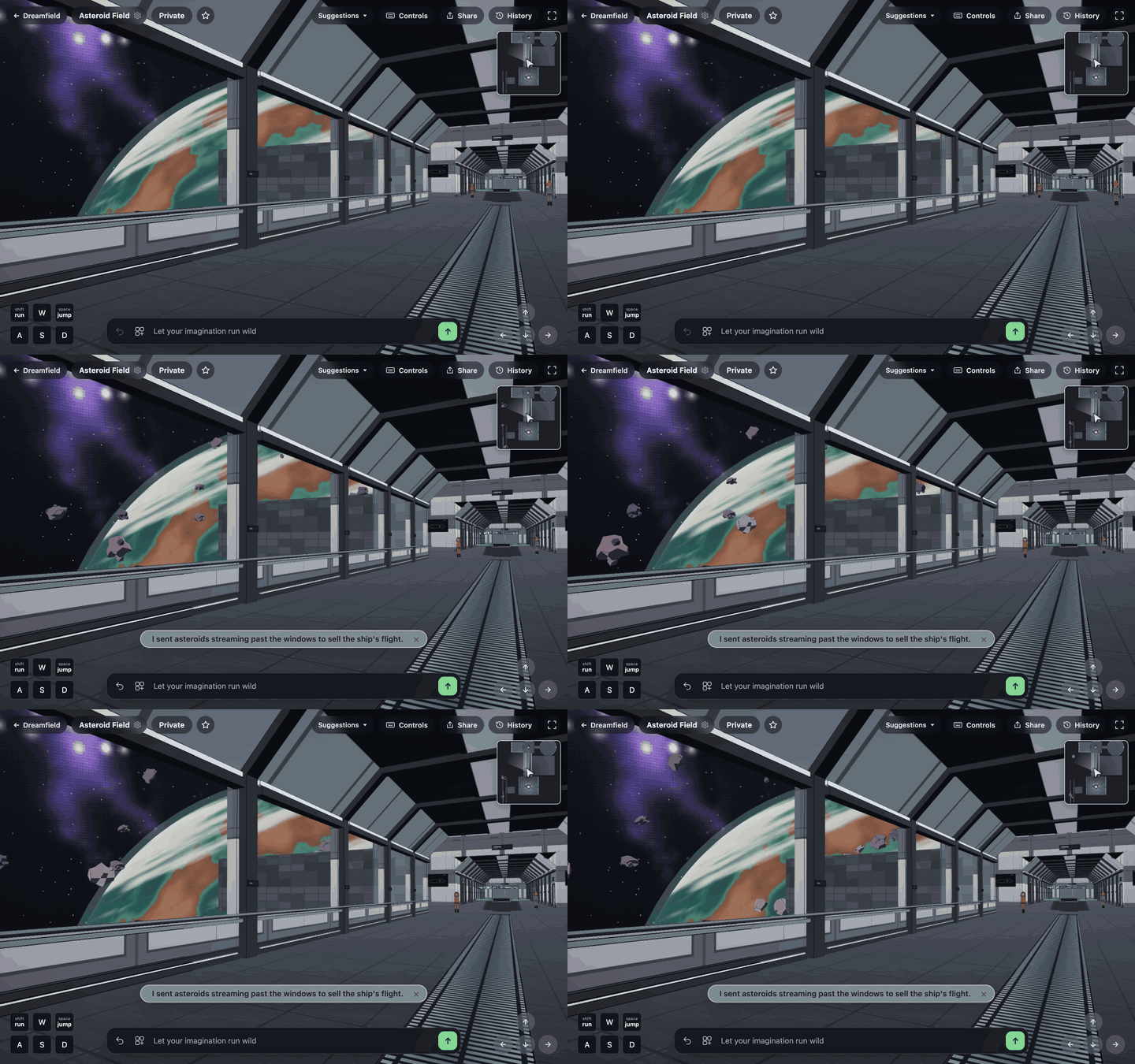
Ask for a different sky, a storm, night, or somewhere new outside the windows. A change like this works on the whole world, not just what's in front of you.
fly the ship through an asteroid field
Put words on things
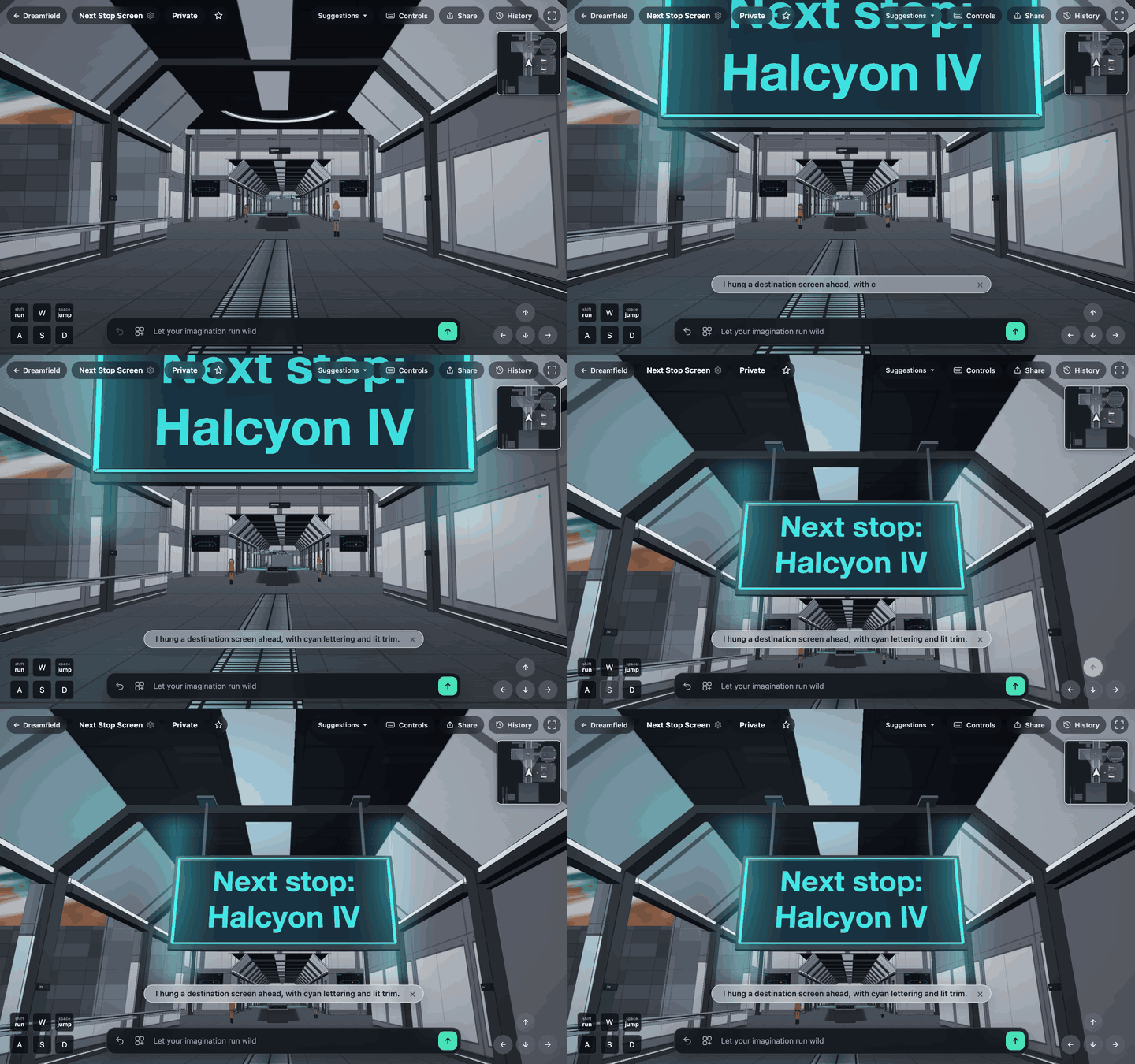
Signs, screens, menus and scoreboards can say whatever you like. Put the words in your request, and say what color you want them.
hang a big screen in front of me that says Next stop: Halcyon IV in glowing cyan letters
Make it a game
Worlds can have rules. Mix these to make a game of your own.
Give a key a job
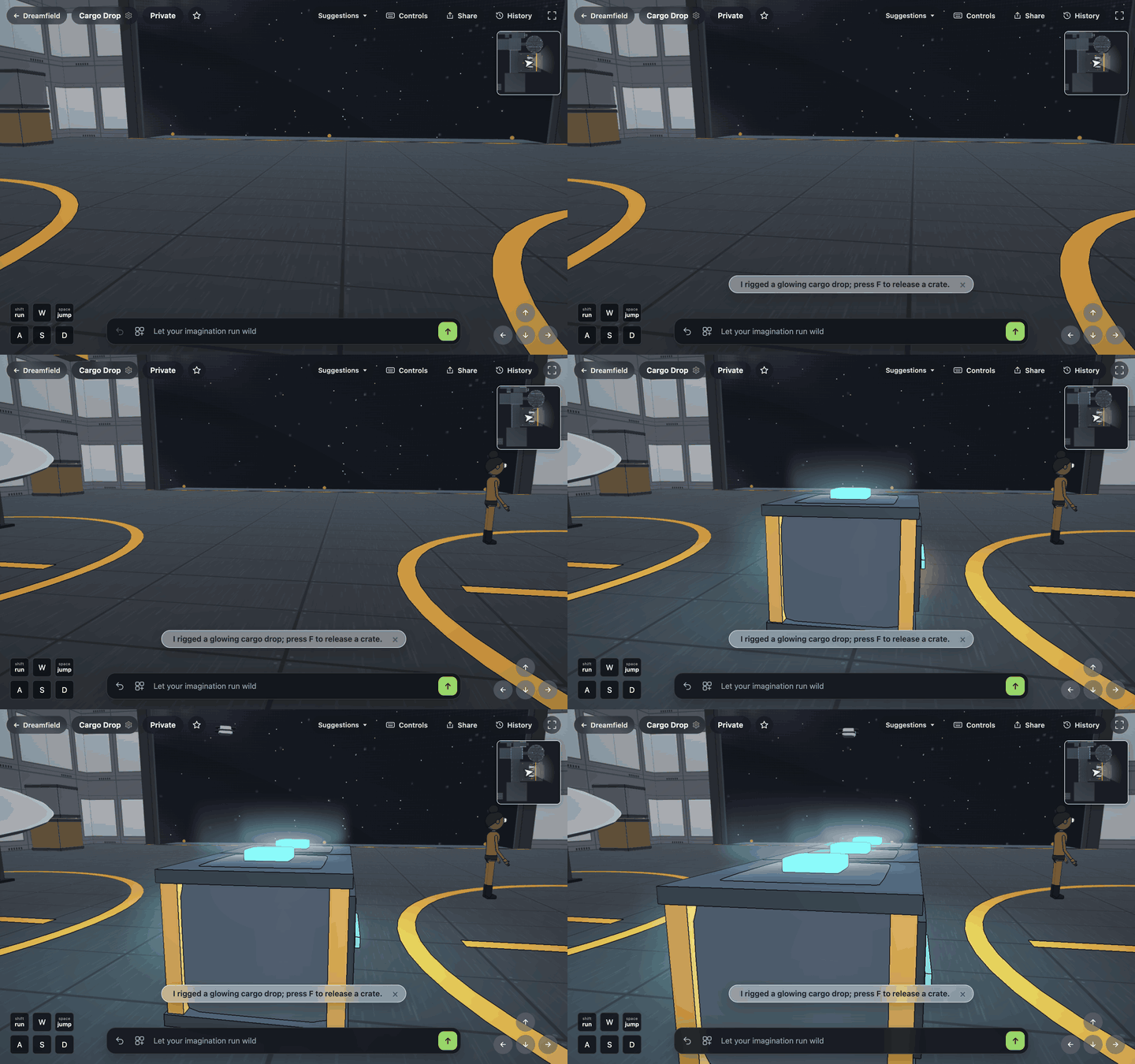
Ask for something to happen when you press a key: "when I press F, ..." The keys for walking and using things are taken, so if you pick one of those it picks another and tells you which. Controls lists every key your world has.
when I press F, drop a glowing cargo crate from the ceiling in front of me
Make things you can use
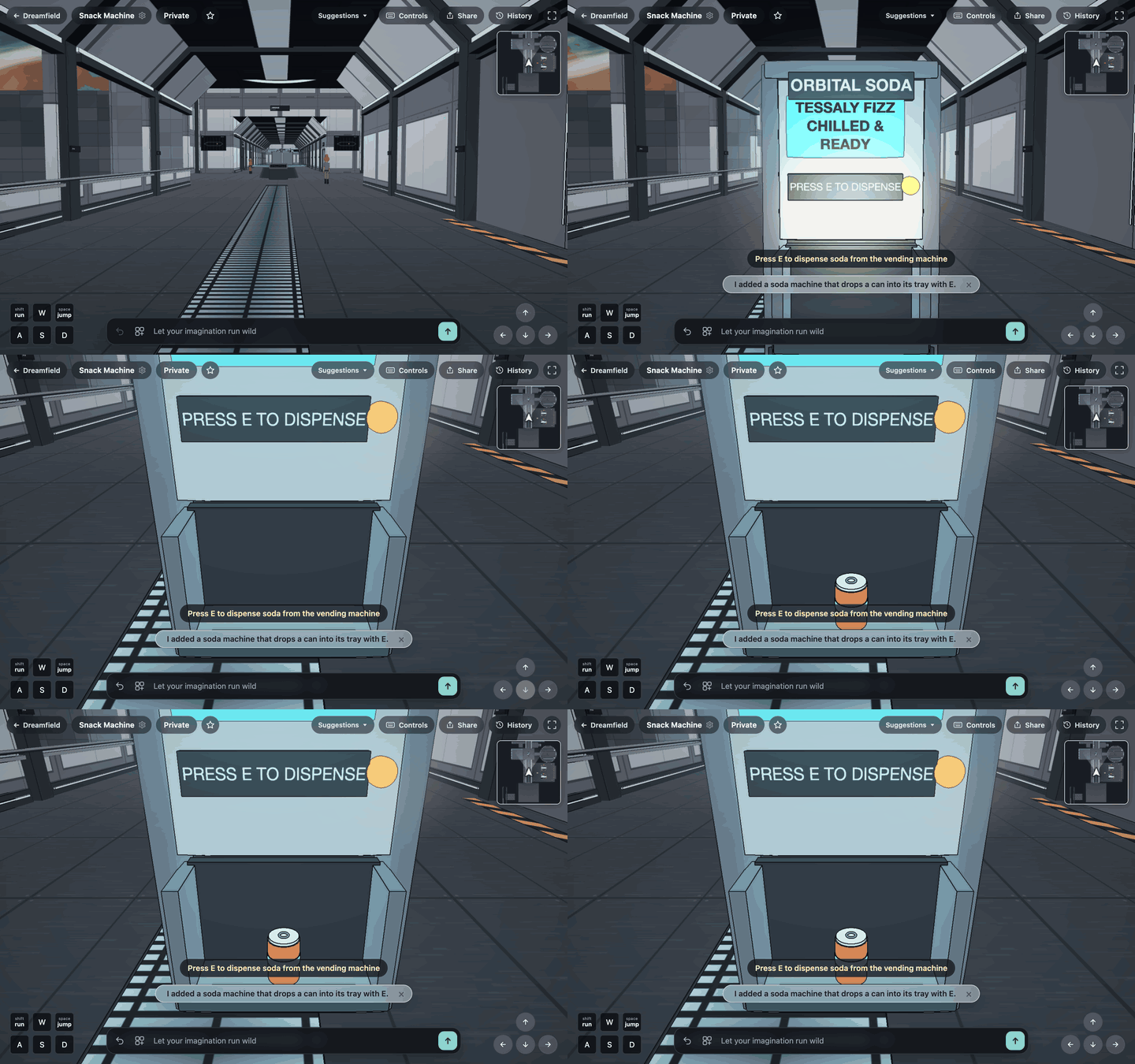
Ask for things that do something when you press E next to them: machines that hand things out, doors that open, rides to get on. On a phone, it's the Use button.
put a vending machine in front of me that drops a can of soda into its tray when I press E
Change how you move
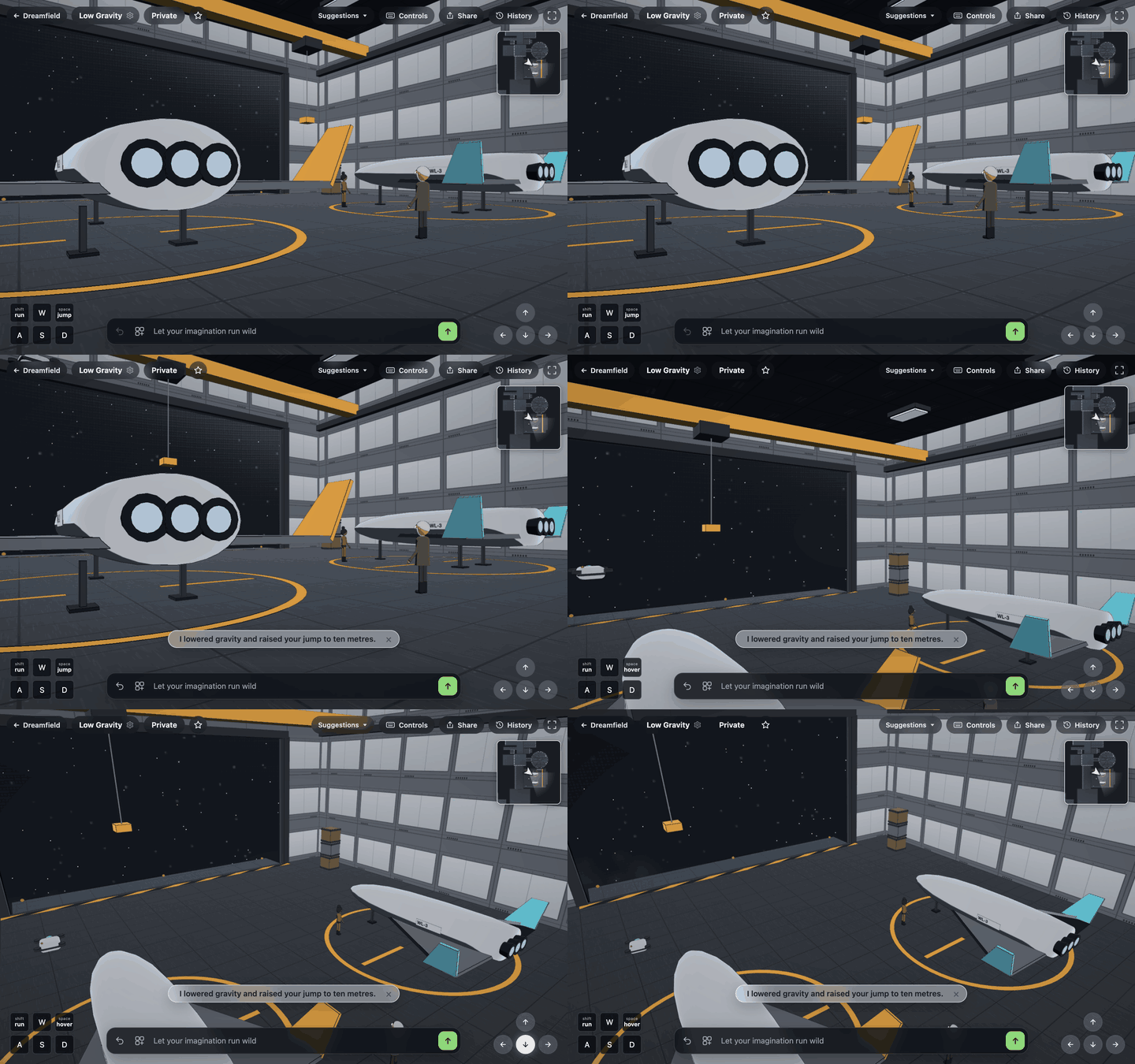
Jump higher, run faster, float down gently, or turn off flying for a game where you have to stay on the ground.
turn the gravity down so I can jump ten times higher and drift back down slowly
Add rules and a score
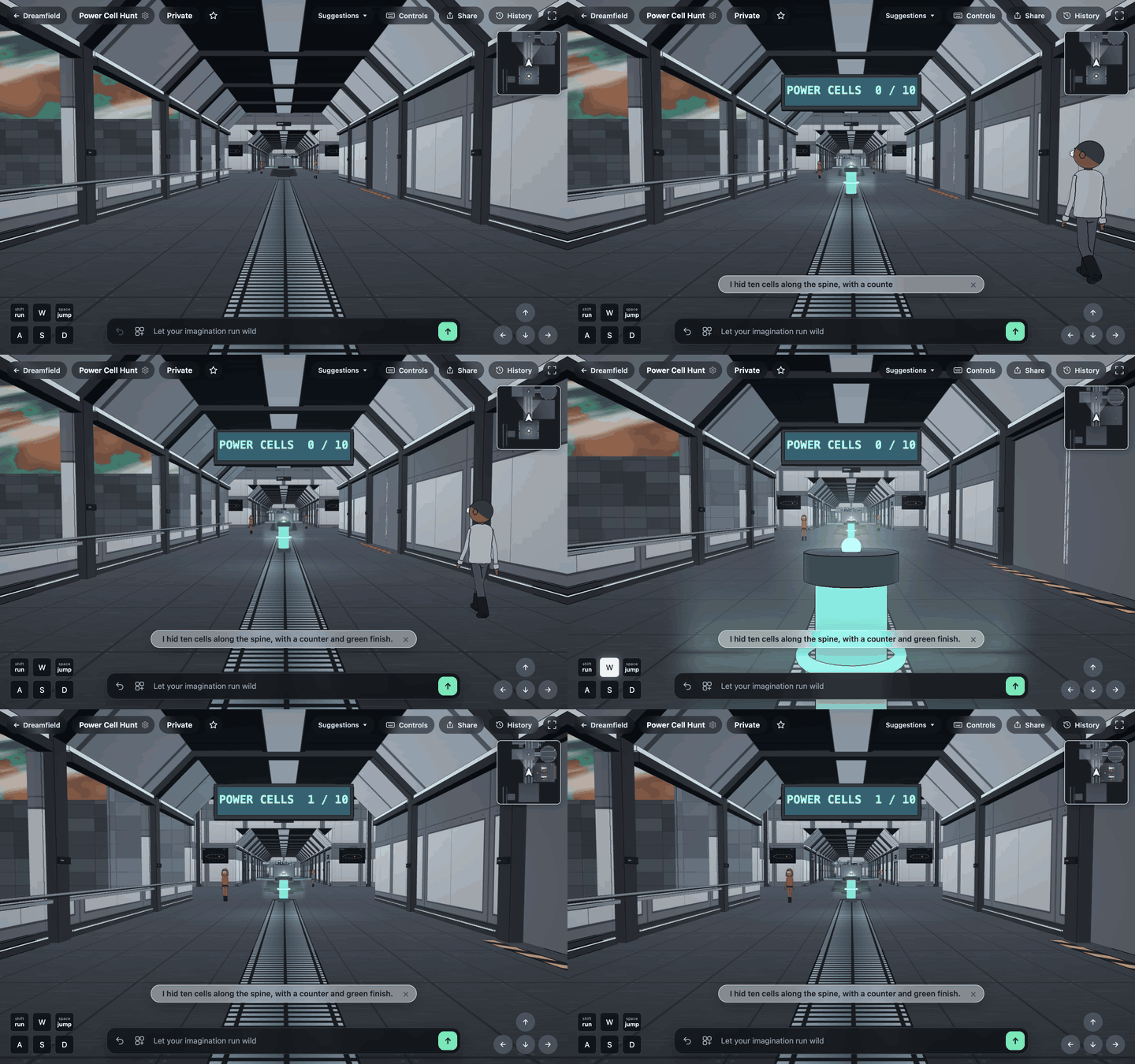
Say what to collect or avoid, how the score is kept and what happens when you win. Put the whole game in one request, then change one thing at a time: more to find, a timer, a prize.
make a game: hide ten glowing power cells down the middle of this corridor that I collect by walking through them, show how many I have collected on screen, and flash the lights green when I have them all
Bigger builds
Describe a whole place at once
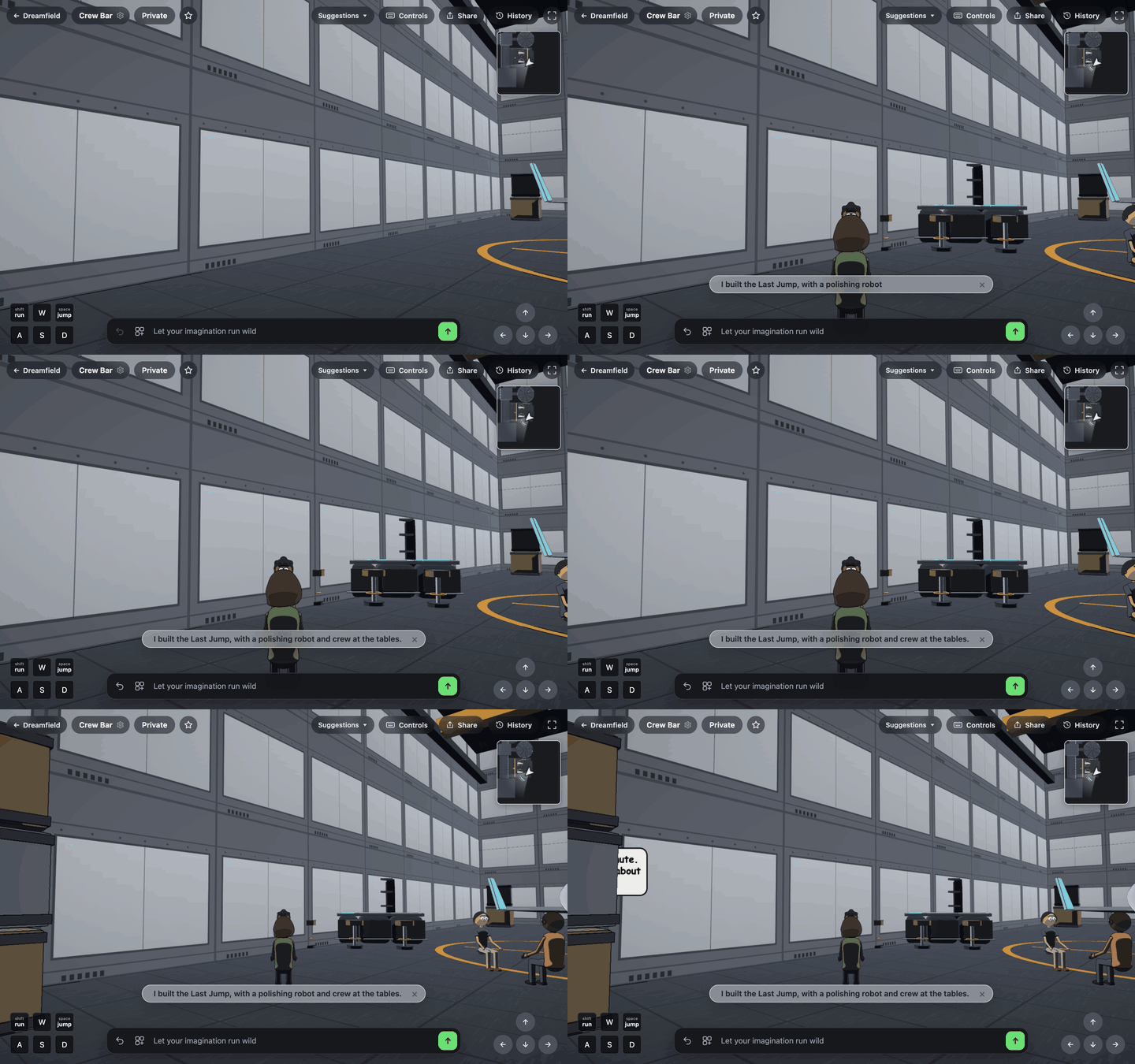
One long request can build a whole place, up to 500 characters. The crew bar here was made from this one prompt and nothing else.
build a crew bar in front of me: a long curved counter with a glowing blue top and six tall stools, shelves of bottles lit from behind, a robot bartender polishing glasses, three round tables with crew sitting and talking, a pool table, a neon sign over the counter that says THE LAST JUMP, and warm amber lamps hanging low from the ceiling
Build it up in steps
Big worlds come from many small changes. Each one sees the world as it is now, so build on what's there: "put a lamp on that table", "now make it night". "It" and "that" mean what you just made, or what you're looking at.
Be specific
Numbers and names help: "twice as tall", "ten of them", "bright purple", "slowly". Say what something does, not just what it is.
Fix it by saying what's wrong
Not quite right? Say so: "make it smaller", "move it next to the bar", "slower". Or Undo it and say it another way.
What it can't do
Everything is built from shapes, in code, right in your world, so it can't bring in photos, videos or 3D models from the internet. And worlds can be shared, so it keeps everything fit for all ages.
Share it
Who can see it
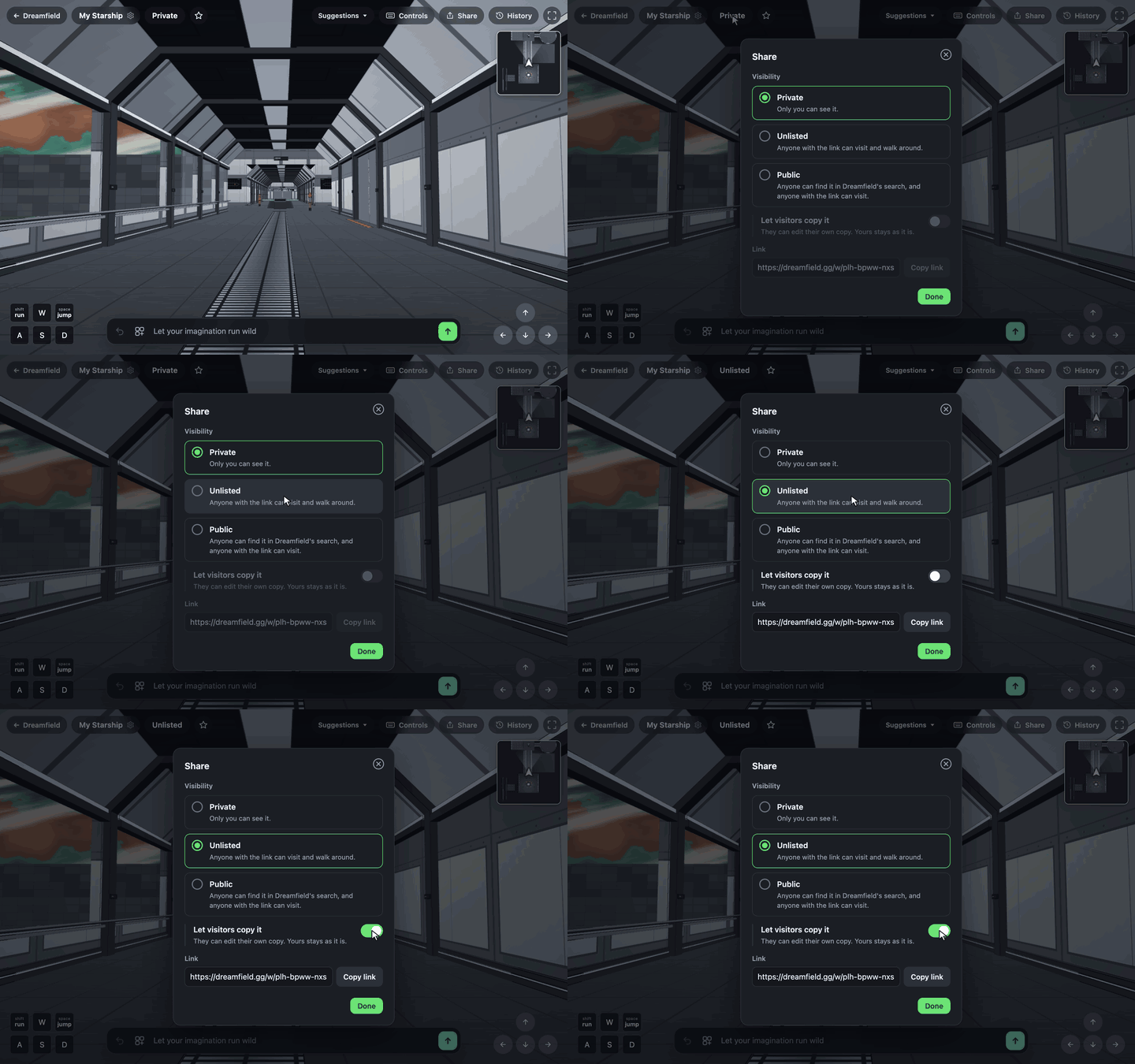
Every new world starts Private, so only you can see it. Open Share to make it Unlisted, for anyone with the link, or Public, so anyone can find it in search.
Turn on Let visitors copy it there too, and visitors get a Copy and Edit button that starts their own version of your world to build on.
Build on someone else's
Found a world you love? If its owner lets visitors copy it, Copy and Edit gives you your own to change.